
How to Find CRN Number and SS Number
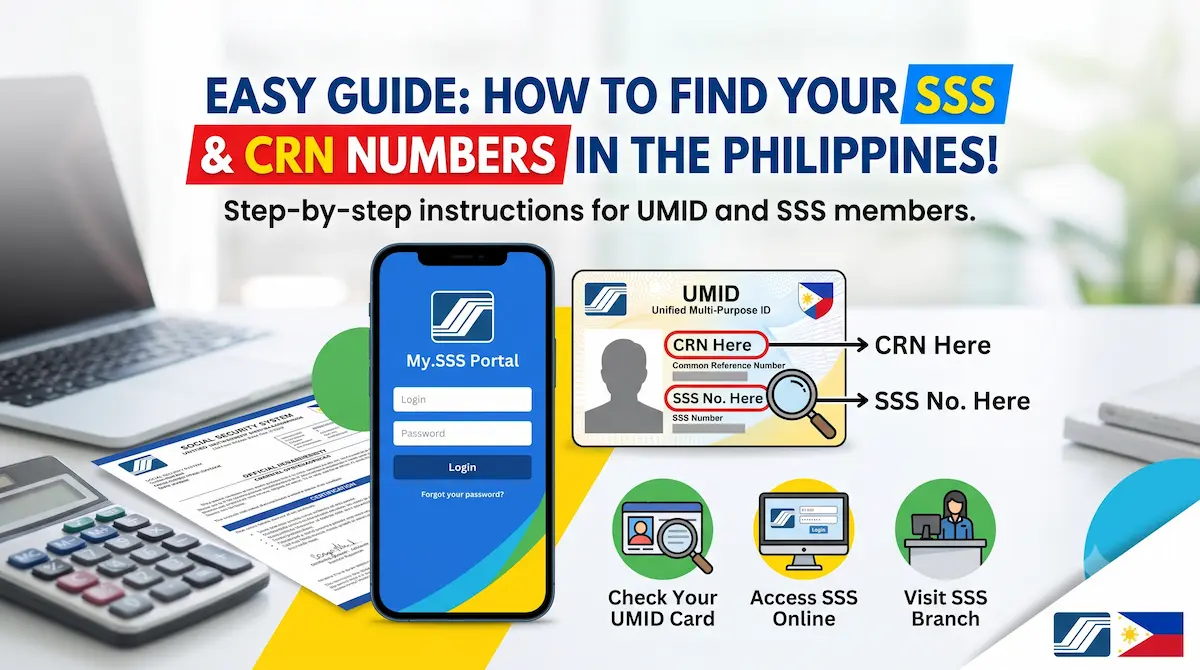
If you are an SSS member, you may come across two different identification numbers: your SS Number and your Common Reference Number (CRN). They are not the same.
Your SS Number, sometimes called an SSS Number, is the 10-digit membership number assigned to you by the Social Security System. A CRN is a separate 12-digit Common Reference Number associated with the older Unified Multi-Purpose ID (UMID) system.
If you already have an old UMID card, your CRN may be printed on it. If you do not have a CRN, that does not mean you do not have a valid SSS membership. Many current SSS services allow members to use their SS Number where the form asks for a “CRN/SS Number.”
If you are checking your membership records for retirement planning, you can also estimate your future benefit using our SSS Pension Calculator.
CRN vs SS Number: What Is the Difference?
The CRN and SS Number identify you in different systems.
| Detail | CRN | SS Number |
|---|---|---|
| Full meaning | Common Reference Number | Social Security Number |
| Typical length | 12 digits | 10 digits |
| Main purpose | Identifier under the UMID/CRN system | Main SSS membership identifier |
| Associated with | Older UMID system | Your SSS membership record |
| Does every SSS member necessarily have one? | No | An SSS member has an SS Number |
| Can it be used for My.SSS services? | Some SSS forms accept CRN/SS Number | Yes, where SS Number is accepted |
The important point is that your CRN should not be confused with your SS Number.
Your SS Number remains your primary SSS membership number.
What Is a CRN?
CRN means Common Reference Number. It is a 12-digit unique identifier created under the Philippine government’s Unified Multi-Purpose ID system.
The CRN was designed as a common identifier that could connect a person’s records across participating government agencies.
For SSS members who were issued a UMID card, the CRN is generally printed on the card.
A CRN is different from your 10-digit SS Number.
Is a CRN Given to Every SSS Member?
Not necessarily.
An SSS member has an SS Number, but a CRN is connected with enrollment in the former UMID/CRN system. Therefore, you should not assume that every person with an SS Number also has a CRN.
If an SSS website or form gives you a field labeled “CRN/SS Number,” use the identification number that applies to your SSS record and follow the instructions displayed on the official SSS service.
Where Can I Find My CRN?
If you already have a CRN but cannot remember it, try the following methods.
1. Check Your Old UMID Card
If you were previously issued a UMID card, check the front of the card.
The CRN is a 12-digit number printed on the UMID card.
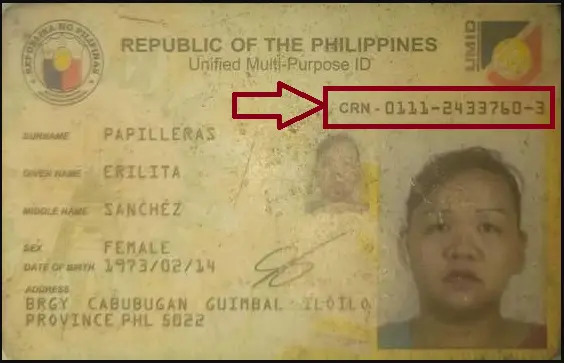
Keep your UMID card and any digital copy of it secure because the CRN and other information printed on the card are personal identification details.
2. Check Your SSS Mobile App Profile
If you can access your SSS account through the official SSS Mobile App, open your Member’s Profile.
SSS documentation lists both the following among the information available in the member profile:
- Common Reference Number
- SS Number
- Full name
- Date of birth
- Coverage information
- Registered contact details
This can be one of the easiest ways to check your CRN without relying on an old physical UMID card.
3. Check Your Own Saved UMID Records
If you previously saved a clear photograph or photocopy of your UMID card for your personal records, you can check the CRN there.
Use only copies that you control. Avoid uploading or sending a photo of your UMID card to unknown websites, social-media pages, or people offering to “retrieve” your CRN.
4. Contact SSS
If you cannot retrieve your CRN through your own records or SSS account, contact SSS directly.
The current SSS hotline is:
1455
You can explain that you need help verifying your SSS membership information.
SSS may need to verify your identity before providing or discussing account-specific information.
5. Visit an SSS Branch
If the issue cannot be resolved online or by phone, visit an official SSS branch.
Bring appropriate government-issued identification so SSS personnel can verify your identity and check your membership record.
Do not rely on unofficial agents or third-party websites to retrieve sensitive SSS information.
What If I Do Not Have a CRN?
You should not apply for an old UMID card simply to obtain a CRN.
SSS has replaced the old UMID card with the MySSS Card. Previously issued UMID and other SSS cards remain valid, but the MySSS Card is now the current functional card offered by SSS.
For many online SSS transactions, the form itself refers to a:
CRN/SS Number
If you do not have a CRN but have a valid SS Number, follow the instructions provided by the current SSS service and use your SS Number where it is accepted.
If you are unsure which number is required for a specific transaction, verify it directly with SSS rather than attempting to create or obtain an old UMID card.
UMID Card vs MySSS Card in 2026
This is important because many older online guides still tell members to apply for a UMID card.
That information is outdated.
The MySSS Card is now the current functional ID issued by SSS and has replaced the old UMID card.
However, this does not mean an existing UMID card has suddenly become invalid.
SSS states that previously issued SSS cards, including UMID cards, remain valid.
Eligible members may apply for the new MySSS Card through the My.SSS Member Portal. Among the current requirements are:
- A permanent SS Number
- Registration on the My.SSS Portal
- Updated local address, mobile number and email in SSS records
- Registration with the National ID system
- Matching personal information between the SSS and National ID records
The application begins through My.SSS, followed by identity verification and the selected SSS partner bank’s account-opening process.
Therefore, if you still have an old UMID card, you can continue using it where accepted. If you need the current SSS card, check the MySSS Card process rather than looking for a new UMID application.
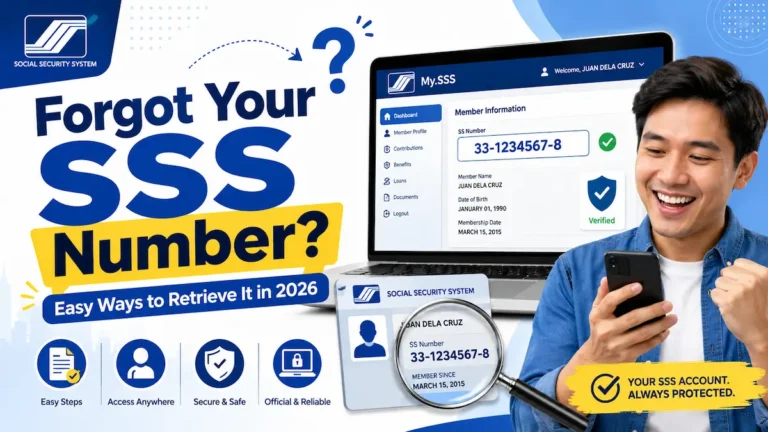
Where Can I Find My SS Number?
Your SS Number is a 10-digit number assigned to your SSS membership record.
If you have forgotten it, try the following methods.
1. Check the SSS Mobile App
If you already have access to your SSS account, check your Member’s Profile in the official SSS Mobile App.
The profile can display your SS Number together with other membership information.
This is preferable to guessing your number or using an unofficial lookup service.
2. Check Your Old SSS Records
Your SS Number may appear on SSS records or documents that were previously issued to you or completed as part of your membership.
For example, check copies of old SSS membership forms and records that you have kept.
If you have an old SSS ID showing your SS Number, you can also check it.
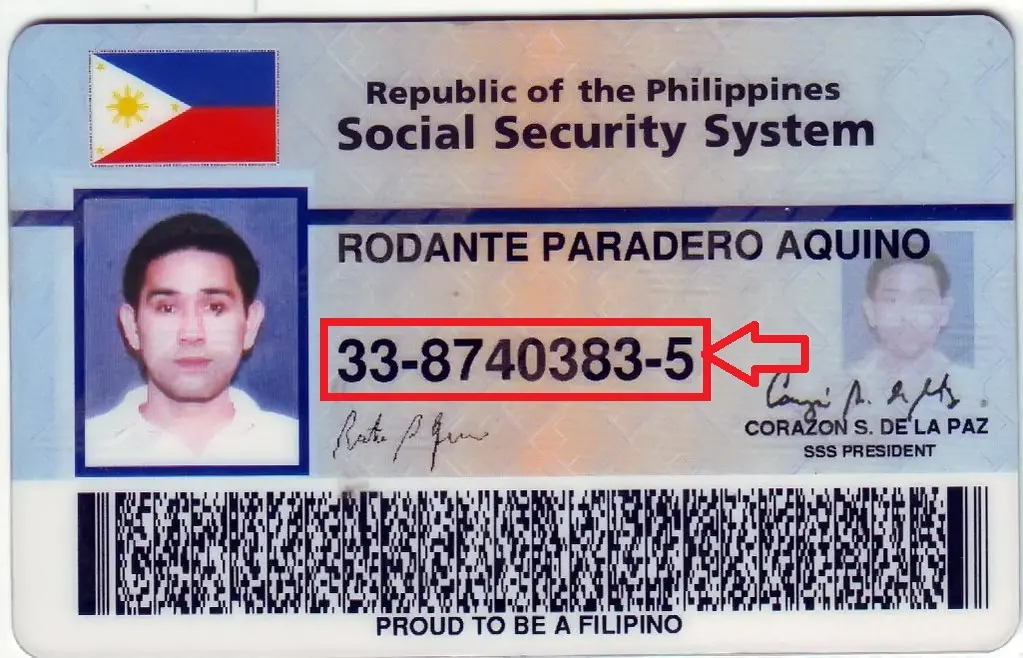
3. Check Your Personal E-1 or E-4 Records
If you have your own copy of an SSS E-1 Personal Record or E-4 Member Data Change Request containing your membership information, check it for your SS Number.
Make sure you are looking at your own genuine SSS record.
4. Ask Your Employer or HR Department
If you are currently or were previously employed, your employer’s payroll or HR records may contain the SS Number that was used for your SSS contributions.
Some employers may also show it on employment or payroll documents.
Contact your employer’s HR or payroll department if you cannot locate your personal records.
For privacy reasons, they may ask you to verify your identity before releasing membership information.
5. Contact SSS or Visit a Branch
If you still cannot retrieve your SS Number, contact SSS through its official channels.
You can call:
SSS Hotline: 1455
If necessary, visit an SSS branch with acceptable identification so your identity can be verified.
Never post your full SS Number publicly in a Facebook group, website comment, forum or social-media message.
What to Do If “CRN/SS Number Is Not Valid” or “Does Not Exist” Appears
The My.SSS system may ask for a CRN/SS Number during account-related processes, including password recovery.
If you receive an error saying that the number is invalid or does not exist, do not repeatedly submit random variations of the number.
Work through these checks instead.
Check Whether You Entered the Correct Number
A CRN and SS Number have different lengths:
- CRN: normally 12 digits
- SS Number: 10 digits
Make sure you have not accidentally entered one number while believing it is the other.
Follow the Exact Format Requested by My.SSS
Enter the number according to the instructions shown on the current SSS form.
If the field requests numbers without separators, enter only the digits.
Do not add spaces, extra characters or other information unless the official form specifically requests it.
Confirm That You Are Using Your Own SSS Record
Double-check that the number comes from your own official SSS records.
Do not rely on a number copied from an old message, unofficial website or another person’s document.
Try the Official Account-Recovery Process
If your problem is related to accessing My.SSS, use the official Forgot User ID/Password or account-recovery options provided by SSS.
The current password-recovery process includes a field for the member’s CRN/SS Number.
Contact SSS If the Number Still Fails
If you are certain that the information is correct but My.SSS continues to show:
“CRN/SS Number is not valid”
or
“CRN/SS Number does not exist,”
contact SSS.
You can call 1455 or visit an official SSS branch.
There may be an issue with your membership record, account information, number status or personal details that needs to be checked by SSS.
Why Your SS Number Matters for Retirement
Your SS Number connects your SSS membership record with your contributions and benefit history.
If you are preparing for retirement, checking that your SSS information is correct is especially important because your contribution history affects whether you qualify for a monthly retirement pension.
A member generally needs at least 120 monthly contributions before the semester of retirement to qualify for a monthly SSS retirement pension.
You can read our detailed guide on how many SSS contributions are needed to receive a pension if you are checking your retirement eligibility.
Members who previously stopped compulsory contributions and are continuing coverage voluntarily can also see our guide to SSS pension requirements for voluntary members.
After checking your contribution history, you can use the SSS Pension Calculator to estimate your potential retirement benefit.
Protect Your CRN and SS Number
Both numbers should be treated as personal information.
To reduce the risk of identity theft or unauthorized account access:
- Do not publish your full CRN or SS Number in website comments.
- Do not post photographs of your UMID, SSS ID or MySSS Card publicly.
- Avoid websites claiming they can retrieve your SSS number instantly.
- Do not give account passwords or one-time passwords to anyone.
- Use only official SSS channels for account-specific concerns.
- Verify that you are on the official SSS website before entering sensitive information.
Our website provides general SSS information and retirement-planning tools, but we cannot retrieve, verify or access an individual’s CRN, SS Number or My.SSS account.
Quick Answers
I have an old UMID card. Where is my CRN?
Check the CRN printed on your UMID card. You may also be able to view the CRN through your SSS Mobile App member profile.
My UMID card is lost. Can I still find my CRN?
Yes. Check your SSS Mobile App profile or your own saved copy of the UMID card. If you still cannot retrieve it, contact SSS through official channels.
I do not have a CRN. Do I need to get one?
Do not apply for an old UMID card just to obtain a CRN. Where an SSS service accepts “CRN/SS Number,” members without a CRN may be able to use their SS Number according to the instructions on that service.
Where can I find my SS Number?
Check your SSS Mobile App member profile, your own SSS membership records, old SSS documents or employer records. If you cannot retrieve it, contact SSS.
Are the CRN and SS Number the same?
No. A CRN is normally a 12-digit Common Reference Number associated with the UMID/CRN system. An SS Number is the 10-digit number assigned to your SSS membership.
Can I still use my old UMID card?
Yes. SSS states that previously issued cards, including UMID cards, remain valid even though the MySSS Card has replaced UMID as the current SSS functional card.
Can I apply for a new UMID card in 2026?
The current SSS card program is the MySSS Card, not a new UMID application. Eligible members can begin the MySSS Card application through the My.SSS Portal.
What is the SSS hotline?
The current SSS hotline for member concerns is 1455.
Information Accuracy and Sources
Last manually reviewed against official SSS sources: September 10, 2026.
This guide was reviewed using current information from the Social Security System, including the SSS MySSS Card guidance, My.SSS Member services, SSS contact information and SSS Citizens’ Charter documentation.
SSS procedures and online services may change. For account-specific questions or conflicts between this guide and the official SSS system, follow the latest instructions provided directly by the Social Security System (SSS).
SSSPensionCalculator.ph is an independent informational website and is not affiliated with or operated by the Philippine Social Security System.


How can i recover my sss account number
how to active my sss acount