What Is PRN in SSS? Payment Reference Number
If you are trying to pay your SSS contribution and a bank, payment center or online service asks for a PRN, it means you need a Payment Reference Number.
A PRN in SSS is a system-generated Payment Reference Number that identifies a specific SSS payment. It connects your payment with details such as your membership record, contribution period and amount so the Social Security System can validate and post the payment correctly.
For contribution payments, SSS has required the use of PRNs under its electronic collection system since 2018. PRNs are also used for covered SSS short-term loan payments under the Real-Time Processing of Loans system.
In simple terms: your SSS number identifies you, while a PRN identifies a payment you are about to make.
Use our SSS Pension Calculator to estimate your possible monthly pension based on your SSS contributions and salary credits.
What Does PRN Mean in SSS?
PRN stands for Payment Reference Number. Think of it as the reference attached to your SSS bill. When you generate a PRN for a contribution, SSS associates that reference with payment information such as:
- your membership type;
- applicable contribution period;
- contribution amount;
- amount payable;
- and payment due date.
Your generated PRN/Statement of Account (SOA) shows the reference number, applicable period, amount and due date. You then use that PRN when paying through an SSS-supported online or over-the-counter payment channel.
Once the payment is processed through the electronic collection system, the PRN allows the payment information to be transmitted and posted to the proper SSS record.
Why Does SSS Use a PRN?
Before the PRN system, matching a payment to the correct member, payment period and contribution record involved more manual processing.
SSS introduced the Real Time Processing of Contributions (RTPC) to provide electronic validation, transmission, acknowledgement and posting of contribution payments.
The system was launched on January 16, 2018, together with mandatory PRN use for SSS contribution payments through the electronic collection system.
The PRN helps SSS identify:
| PRN Information | Why It Matters |
|---|---|
| Member/payor | Identifies whose account the payment belongs to |
| Membership type | Helps classify the contribution correctly |
| Applicable period | Identifies which month or months you are paying |
| Contribution amount | Tells SSS how much should be posted |
| Due date | Indicates when the payment should be completed |
| Transaction reference | Allows the payment system to match the payment to SSS records |
This is why entering the correct PRN when paying is important.
Is PRN the Same as Your SSS Number?
No. An SSS number and an SSS PRN serve completely different purposes.
| Number | What It Is | Does It Change? |
|---|---|---|
| SSS Number | Your permanent Social Security System membership number | Normally stays the same |
| PRN | Reference generated for a particular payment | Different PRNs can be generated for different payments |
| CRN | Common Reference Number associated with certain government identification records such as UMID | Separate from a payment PRN |
| Employer Number | Identifies an SSS-registered employer | Used for employer records |
Your SSS number tells SSS who you are. Your PRN tells SSS what payment is being made and where it should be applied.
So if a payment channel asks for your SSS PRN or Payment Reference Number, do not automatically enter your regular SSS membership number.
What Does an SSS PRN Look Like?
Your PRN appears on the Payment Reference Number/Statement of Account generated by SSS.
Rather than relying on the number of digits or trying to identify a PRN from memory, check the actual PRN displayed in your My.SSS account, MySSS app or official SSS-generated Statement of Account.
The same screen or SOA normally shows other important information including:
Payment Reference Number
Applicable period
Contribution amount
Total amount due
Due date
Always copy the PRN directly from your SSS record when making a payment. A single incorrect character or number can cause the payment to fail or create a payment-posting problem.
Who Needs an SSS PRN?
For contribution payments, PRN use applies particularly to employers and members who pay SSS contributions directly. SSS specifically identifies individually paying members such as:
- Self-employed members (SE)
- Voluntary members (VM)
- Non-working spouses (NWS)
- Land-based Overseas Filipino Workers (OFWs)
These members normally generate their contribution PRN before paying through an SSS-accredited channel.
Do Regular Employees Need to Generate a PRN Every Month?
Usually, no. If you are a regular employed member, your employer normally deducts your employee contribution from your salary and combines it with the employer’s share.
The employer then generates the required contribution records and PRN and remits the contributions to SSS.
SSS requires registered employers to remit their employees’ contributions using a Payment Reference Number within the prescribed payment schedule.
You should still check your My.SSS contribution history periodically to make sure your employer’s payments are being posted.
How to Generate an SSS PRN Online
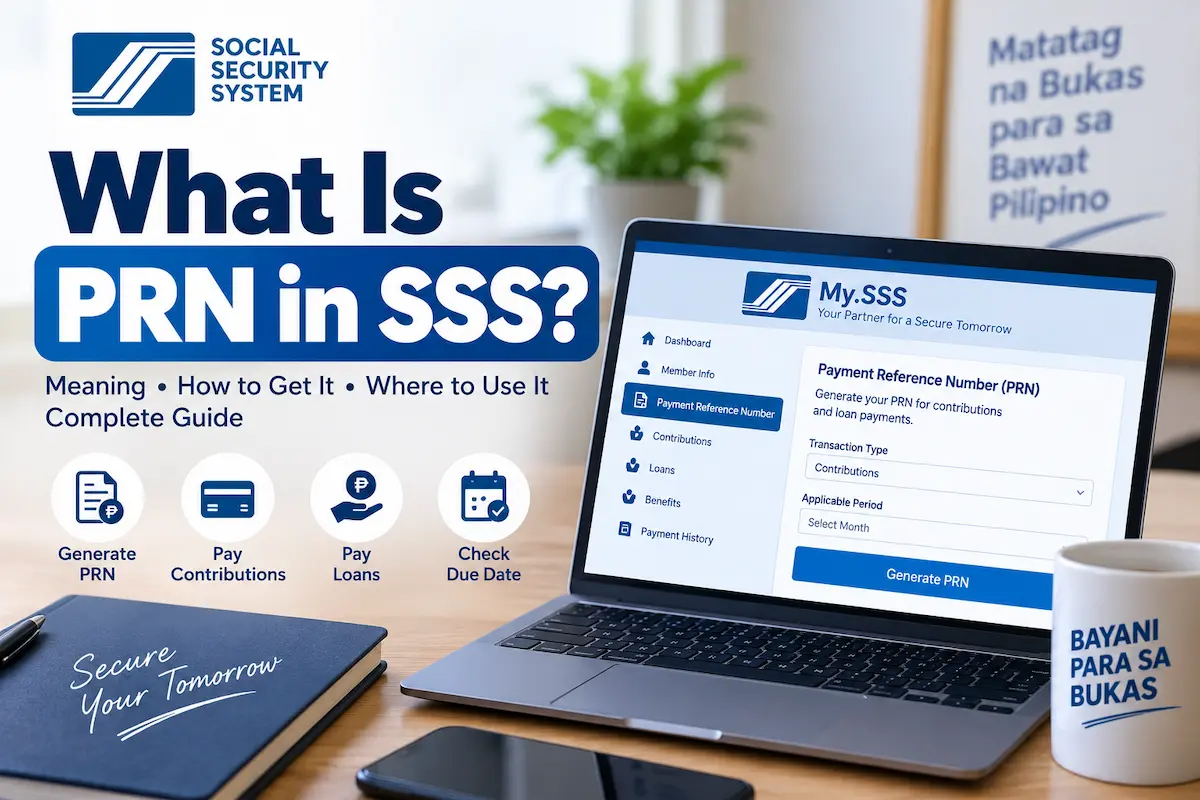
The easiest way for an individually paying member to obtain a PRN is through My.SSS.
Step 1: Log In to My.SSS
Access your My.SSS member account through the official Social Security System website. Enter your registered login credentials.
Step 2: Open Payment Reference Number
From your member account, look for: Payment Reference Number (PRN)
Then select: Contributions
SSS’s current online procedure directs members to the Payment Reference Number tab and the Contributions option.
Step 3: Enter Your Payment Details
Provide the requested information. Depending on your membership type, this can include:
- membership type;
- applicable contribution period;
- contribution amount; and
- voluntary MySSS Pension Booster amount, if applicable.
Be especially careful when choosing your applicable period. For example, if you intend to pay contributions for July through September, confirm that those months are actually covered by the PRN before making the payment.
Step 4: Generate the PRN
Select Generate PRN. SSS processes the information and displays the generated payment details. The PRN should show the:
- reference number;
- amount;
- applicable period;
- due date.
Review everything carefully before paying.
Step 5: Download the Statement of Account
You can download the Statement of Account (SOA) containing your PRN. You can keep the PDF for your records or use the PRN when paying through a supported collection channel.
The SSS Citizen’s Charter states that generating a PRN through the online facility itself has no SSS processing fee.
How to Generate a PRN Using the MySSS Mobile App
You can also generate an SSS contribution PRN through the MySSS mobile application.
The current SSS process is broadly:
Open MySSS ? PRN ? Contributions ? Create ? enter payment information ? Generate PRN
Enter your membership type, applicable period and contribution amount and then review the details before confirming. You can save the generated PRN/SOA and use it when paying your contribution.
The MySSS app also supports PRN generation for contributions and provides online payment functionality through supported channels.
Can You Get an SSS PRN Without My.SSS?
Yes. Although My.SSS is usually the easiest method, SSS currently lists several other ways to request a contribution PRN. According to SSS, members can:
- generate it through My.SSS;
- generate it through the MySSS mobile app;
- contact SSS by email at usssaptayo@sss.gov.ph;
- call the SSS Hotline at 1455; or
- request assistance from selected SSS payment collecting partners that support PRN payments and present a valid ID.
The official Text SSS page also currently lists a PRN inquiry command through 2600, although members using online services will generally find My.SSS or the mobile app easier.
How Do I Find My Existing SSS PRN?
If you already generated a PRN but did not immediately pay it, log back into your My.SSS account and open the Payment Reference Number section. Check the existing payment information before generating another reference.
Look at:
- applicable period;
- payment amount;
- membership type;
- due date;
- payment status.
If those details still match the contribution you intend to pay, use the PRN displayed by SSS. If the details are wrong, do not blindly use the old reference just because it is already available.
How Long Is an SSS PRN Valid?
You may see websites claiming that every SSS PRN is valid for a fixed number of days. A better rule is to check the due date displayed on your actual PRN or Statement of Account.
SSS’s PRN-generation procedure specifically says the system displays the PRN together with the amount, applicable period and due date.
The contribution deadline itself depends on your membership category and the period being paid. For example, SSS currently provides the following general contribution deadlines:
| Member Type | General Payment Deadline |
|---|---|
| Regular employer | Last day of the month following the applicable month |
| Household employer | Last day of the month following the applicable month |
| Self-employed / voluntary / non-working spouse | Last day of the following month or calendar quarter, as applicable |
| Land-based OFW, Jan-Sep contributions | December 31 of the same year |
| Land-based OFW, Oct-Dec contributions | January 31 of the following year |
Different rules can apply in special circumstances, so follow the due date attached to your generated payment record and current SSS payment policies.
Can I Pay SSS Without a PRN?
For payments covered by the PRN system, you should generate or obtain the correct PRN before paying. SSS states that the use of a Payment Reference Number is mandatory for contribution payments through its electronic collection system.
Many payment channels therefore ask for the PRN as the account number or reference number when processing an SSS payment.
Trying to substitute your ordinary SSS membership number where the payment service specifically requests a PRN can result in a rejected or incorrectly handled transaction.
Where Can I Pay Using an SSS PRN?
Your available channels can depend on your membership type and whether you are paying contributions or a loan. SSS currently supports payment through combinations of:
- SSS payment facilities;
- accredited banks;
- bank websites and mobile applications;
- non-bank collecting partners;
- over-the-counter payment centers;
- and online payment options.
For certain online channels, you select SSS as the biller and enter the PRN as the account or reference number. SSS also currently identifies GCash as an option through its mobile application for contribution payments.
For OFWs, SSS lists additional online and overseas collecting channels, including participating banks and remittance services. Because partner lists can change, check the current SSS payment-channel list before making a payment.
Can I Pay My SSS PRN Through GCash?
SSS currently supports GCash for contribution payments through the MySSS mobile application. When using any external bill-payment facility that requests an SSS PRN, copy the PRN carefully and verify the payment amount before confirming.
After payment, keep your confirmation or electronic receipt until the contribution appears correctly in your My.SSS account.
What Is an SSS Loan PRN?
A PRN is not limited to regular SSS contributions. SSS also uses Payment Reference Numbers for short-term loan payments.
PRN use for covered loan payments became mandatory under the Real-Time Processing of Loans (RTPL) in 2021.
Covered loans include:
- Salary Loans;
- Calamity Loans;
- Emergency Loans; and
- certain restructured loans.
The purpose is similar to a contribution PRN: the system-generated reference helps SSS immediately and correctly post the loan payment to the appropriate loan record.
Is a Contribution PRN the Same as a Loan PRN?
No.
Do not assume that the PRN you generated for your monthly contribution should also be used to pay your SSS Salary Loan.
My.SSS separates PRNs into payment types.
For contributions, you generally navigate to:
Payment Reference Number ? Contributions
For an applicable loan payment, you use the loan PRN facility.
A Salary Loan repayment and an SSS contribution are different transactions and must be posted to different records. If you recently applied for an SSS Salary Loan, this distinction is particularly important.
How to Generate an SSS Loan PRN
For individual members who are responsible for paying their own covered SSS loan, the online process generally begins by logging in to My.SSS and opening:
Payment Reference Number ? Loans
The loan PRN identifies the particular loan payment being made.
SSS says PRNs under its RTPL system are used to facilitate the immediate and correct posting of loan payments.
For employed members, loan amortizations are normally deducted and remitted by the employer while employment continues. Self-employed, voluntary and applicable OFW borrowers generally have more direct responsibility for ensuring their monthly loan amortizations are paid on time.
What Happens After You Pay Using a PRN?
The biggest advantage of the PRN system is faster posting. SSS’s Real Time Processing of Contributions provides for the instant validation, transmission and acknowledgement of payment information between the payment facility and SSS, followed by posting to the member’s contribution record.
After paying:
- save your payment receipt;
- log in to My.SSS;
- open your contribution or loan record;
- confirm the payment was posted to the correct period;
- verify the amount.
Do not discard your receipt immediately after paying. It can be useful if the payment does not appear correctly and you need SSS to investigate.
What If My SSS PRN Has the Wrong Amount or Payment Period?
Do not pay a PRN if the details do not match the payment you intend to make. For example, stop before paying if:
- you selected the wrong contribution month;
- your membership type is wrong;
- the contribution amount is not what you intended;
- the months covered are incorrect.
Return to My.SSS and generate the correct payment information when the system permits it. If you cannot correct the transaction yourself, contact SSS before sending the money.
This is safer than deliberately making a payment using payment details you know are incorrect.
Why Can’t I Generate an SSS PRN?
There are several possible reasons.
Your Membership Information Needs Updating
SSS uses your membership record when producing contribution payment information. Check that your membership status and other account information are correct.
You Selected the Wrong Membership Type
An individual who recently changed from employment to voluntary membership may need to choose the correct payor type when generating the PRN.
SSS states that a previously covered member who is switching to voluntary membership generally does not need to submit a separate form simply for the switch. Selecting Voluntary Member when generating and paying the PRN serves as the declaration of voluntary coverage.
Your My.SSS Account Has a Problem
Try logging out and signing back in, or use the official MySSS mobile application. If the issue continues, contact SSS through its official support channels.
The Online Service Is Temporarily Unavailable
If My.SSS is undergoing maintenance, you can try again later or request help using an alternative official channel such as the 1455 hotline.
What If My PRN Is Already Paid?
If you have already completed the payment, first check your My.SSS contribution or loan record.
Do not immediately make the same payment again simply because you still have a copy or screenshot of the PRN. Verify whether SSS already posted the transaction.
If the payment is missing, keep your payment receipt and contact SSS or the payment provider for assistance rather than paying twice.
What If My SSS Contribution Is Not Posted After Paying?
Start by checking four things:
1. Was the PRN correct?
Compare the reference on your payment confirmation with the PRN generated by SSS.
2. Was the amount correct?
Check whether the amount you paid matches the Statement of Account.
3. Was the payment successful?
A payment attempt and a completed payment are not the same thing. Check for an official confirmation or receipt.
4. Is the correct contribution period showing?
Look at your SSS contribution history to see whether the money was applied to a different applicable month.
If the transaction remains missing, contact SSS and be ready to provide your payment information and proof of payment.
The current SSS contact channels include Hotline 1455 and usssaptayo@sss.gov.ph.
Can a PRN Change Your SSS Membership to Voluntary?
This is one useful feature that many PRN guides overlook. If you were previously an employee, self-employed member or OFW and are eligible to continue as a Voluntary Member, SSS says you generally do not need to submit a separate form merely to become voluntary.
When generating your PRN, selecting Voluntary Member as your membership type and subsequently paying the contribution serves as your declaration that you are continuing coverage as a voluntary member.
This is one reason why selecting the correct membership type during PRN generation is important.
SSS PRN Frequently Asked Questions
What does PRN stand for in SSS?
PRN means Payment Reference Number. It is a system-generated reference used to identify and correctly post an SSS contribution or applicable loan payment.
Is PRN the same as my SSS number?
No. Your SSS number identifies your membership record. A PRN identifies a particular payment.
Where can I find my PRN in SSS?
Log in to My.SSS and open the Payment Reference Number section. For contribution payments, select Contributions. Your generated PRN and payment details will be displayed there.
How do I get my SSS PRN online?
Log in to My.SSS, select Payment Reference Number ? Contributions, enter the applicable membership type, payment period and contribution amount, review the details and generate the PRN.
Is generating an SSS PRN free?
Yes. The SSS Citizen’s Charter lists no SSS fee for generating a contribution PRN through My.SSS or the MySSS mobile facility.
Do I need a new PRN every month?
The PRN is tied to the payment details and applicable period shown on the generated Statement of Account. Rather than treating it like a permanent member number, generate or use the PRN associated with the contribution period you are actually paying.
Can I use my SSS number instead of a PRN?
Not when the payment facility specifically requires a Payment Reference Number. SSS requires PRNs for contribution payments covered by its electronic collection system.
Can I get a PRN through the SSS mobile app?
Yes. PRN generation for contributions is one of the services available through the MySSS mobile application.
Can I get an SSS PRN through text?
The official Text SSS page currently lists a PRN inquiry command sent to 2600. Members should follow the current instructions shown by SSS because SMS services and formats can change.
Can I pay an SSS loan using my contribution PRN?
Do not use a contribution PRN as though it were a loan PRN. My.SSS provides a separate PRN process for loan payments covered under the Real-Time Processing of Loans system.
Does an SSS PRN expire?
Instead of relying on a universal number of validity days quoted by third-party websites, check the due date displayed on your generated PRN/SOA. SSS generates the payment reference together with its applicable period, amount and due date.
Can voluntary members generate their own PRN?
Yes. Voluntary members are among the individually paying members who can generate a PRN through My.SSS before paying their contributions.
Can self-employed members generate an SSS PRN?
Yes. Self-employed members generally generate their PRN through My.SSS and use it when paying monthly or quarterly contributions according to the applicable rules.
Can OFWs generate an SSS PRN?
Yes. Land-based OFW members can generate a PRN through My.SSS by selecting the appropriate membership information, contribution period and contribution amount.
The Most Important Thing to Remember About Your SSS PRN
A PRN is not your permanent SSS identification number.
It is a payment reference that tells the Social Security System how a particular contribution or loan payment should be recorded.
Before paying, always check three details:
the PRN, the applicable period, and the amount due.
Then keep your payment confirmation until you verify that the contribution or loan payment has been correctly posted in My.SSS.
For the most reliable information, generate your PRN through the official My.SSS portal or MySSS mobile application and follow the payment details and due date displayed by SSS.